
The Agentic Engineering Setup: Terminal, Voice, Worktrees, and Verification
Inside an Ex-Meta L8 engineer's keyboard-first agentic workflow: WezTerm, Neovim, local Whisper voice input, git worktrees, and automated compiler loops.
On this page
When experienced principal engineers transition to autonomous AI workflows, they do not spend their days pointing and clicking inside bloated graphical IDEs. Instead, they operate with a streamlined, keyboard-first terminal setup designed to direct, review, and verify multiple autonomous agents in parallel.
The objective of an elite agentic engineering setup is simple: eliminate input friction and maximize delegation bandwidth.
By combining terminal multiplexing, local voice transcription, isolated Git worktrees, and automated compiler verification loops, an engineer can supervise three parallel feature implementations without context switching.
The Architecture of the Terminal-First Agentic Rig
+-----------------------------------------------------------------------+
|                    The Agentic Engineering Workstation                |
+-----------------------------------------------------------------------+
|                                                                       |
|  [ Input Interface: Low-Latency Voice (Local Whisper) + Keyboard ]    |
|  - Push-to-talk voice captures rich architectural intent in seconds   |
|        |                                                              |
|        v                                                              |
|  [ Terminal Multiplexer: WezTerm / tmux ]                             |
|  - Pane 1: Orchestrating Agent CLI (Claude Code / OpenCode)           |
|  - Pane 2: Neovim / Diff Inspector (Interactive git patch reviews)   |
|  - Pane 3: Automated Test Runner (`cargo watch` / `npm run build`)    |
|        |                                                              |
|        v                                                              |
|  [ Parallel Git Worktrees ]                                           |
|  ├── worktree-1: feat/auth-gateway (Agent A working in isolation)     |
|  ├── worktree-2: fix/stripe-webhook (Agent B working in isolation)    |
|  └── worktree-3: refactor/db-pool    (Human reviewing diffs)          |
|        |                                                              |
|        v                                                              |
|  [ Automated Verification Gates ]                                     |
|  - Linter (`eslint` / `golangci-lint`)                                |
|  - Compiler (`tsc --noEmit` / `cargo check`)                          |
|  - Real End-to-End Execution Pass                                     |
+-----------------------------------------------------------------------+
The Four Core Setup Components
1. High-Bandwidth Voice Input (Local Whisper)
Typing detailed architectural context by hand creates a natural bottleneck: human typing speed averages 60 to 80 words per minute. Speaking, by contrast, flows at 150 to 180 words per minute.
The setup binds a global hotkey to a local, offline Whisper model (running on Mac Metal or CUDA):
- The engineer holds a key and speaks for 30 seconds: “Refactor the Stripe payment webhook handler to use our idempotent database transaction wrapper. If the charge ID already exists in the transactions table with status ‘PAID’, immediately return HTTP 200 without charging the customer again.”
- Whisper transcribes the speech in 200 milliseconds and pastes the prompt into the terminal agent.
- Result: 3x more context provided in one-third the time.
2. Terminal-First Harness: WezTerm and Neovim
Rather than waiting for slow GUI windows to render, principal engineers operate inside GPU-accelerated terminal emulators like WezTerm paired with Neovim:
- Blazing Fast Diffs: Reviewing 500 lines of generated code in Neovim using fugitive or diff-view takes seconds with keyboard motions (
]cto jump chunks,doto accept changes). - Session Persistence: Running agents inside
tmuxensures long-running agent tasks continue executing uninterrupted even if the laptop sleeps or disconnects.
3. Isolated Git Worktrees for Parallel Agents
When multiple AI agents edit code simultaneously in the same directory, file collisions and git index lockouts immediately occur.
The solution is Git Worktrees:
# Spawn isolated working directories from the same local repository:
git worktree add ../worktrees/feature-auth -b feat/auth
git worktree add ../worktrees/feature-search -b feat/search
Each agent executes in its own independent filesystem worktree. Agent A refactors authentication while Agent B rebuilds the vector search layer. Neither agent interferes with the other’s files, builds, or branch state.
4. Living Context Documents (AGENTS.md)
Autonomous agents do not retain memories across terminal restarts unless grounded in persistent repo files.
Elite setups maintain an AGENTS.md or CLAUDE.md in the repository root:
- Standing Rules: “Never commit or push without explicit approval; verify changes with build and typecheck; no unrequested infrastructure.”
- Architecture Sitemap: Exact directory paths for services, shared libraries, and database migrations.
- Verification Commands: The exact commands the agent must run to verify its work (
npm run check,cargo test).
When an agent launches, it reads AGENTS.md in turn 1, instantly adopting the team’s engineering standards.
The Verification Loop: Trust but Verify
[ Engineer Prompts Outcome ] -> [ Agent Scaffolds Implementation ]
                                               |
                                               v
[ Automated Compiler Gate ] <------------------+
- TypeScript / Rust compile pass
- Linter error verification
       |
       +---> Pass? -> Human reviews git diff in Neovim -> Merge
       |
       +---> Fail? -> Error piped back to agent context -> Self-correct
Generated code is never considered complete until the compiler, linter, and runtime tests pass without a single warning.
Key Engineering Takeaways
- Speech is the highest-bandwidth input: Use local Whisper voice transcription to pass rich architectural context to agents in seconds.
- Use Git Worktrees for parallel execution: Never let multiple agents collide in a single working directory. Worktrees provide clean filesystem isolation.
- Anchor agents with
AGENTS.md: Persist your coding agreements, verification commands, and architectural rules in the repo so agents never forget standards.
Keep reading
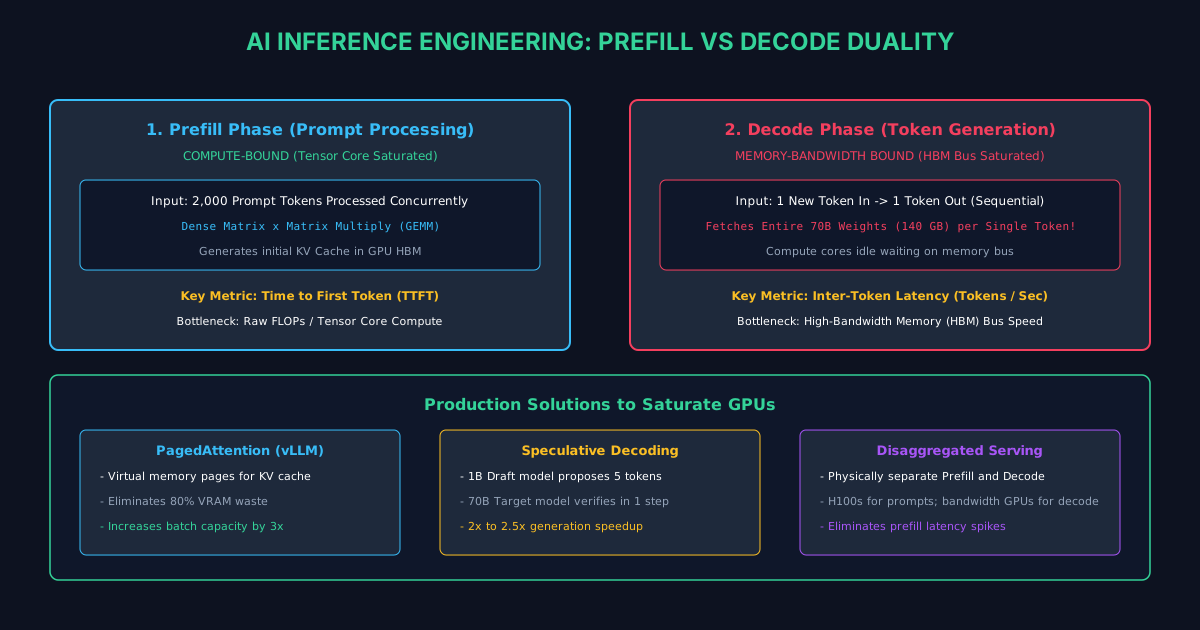
A Complete Guide to AI Inference Engineering: Prefill vs Decode
Why LLM inference splits into compute-bound prefill and memory-bound decode. Master PagedAttention, KV-caching, speculative decoding, and vLLM.
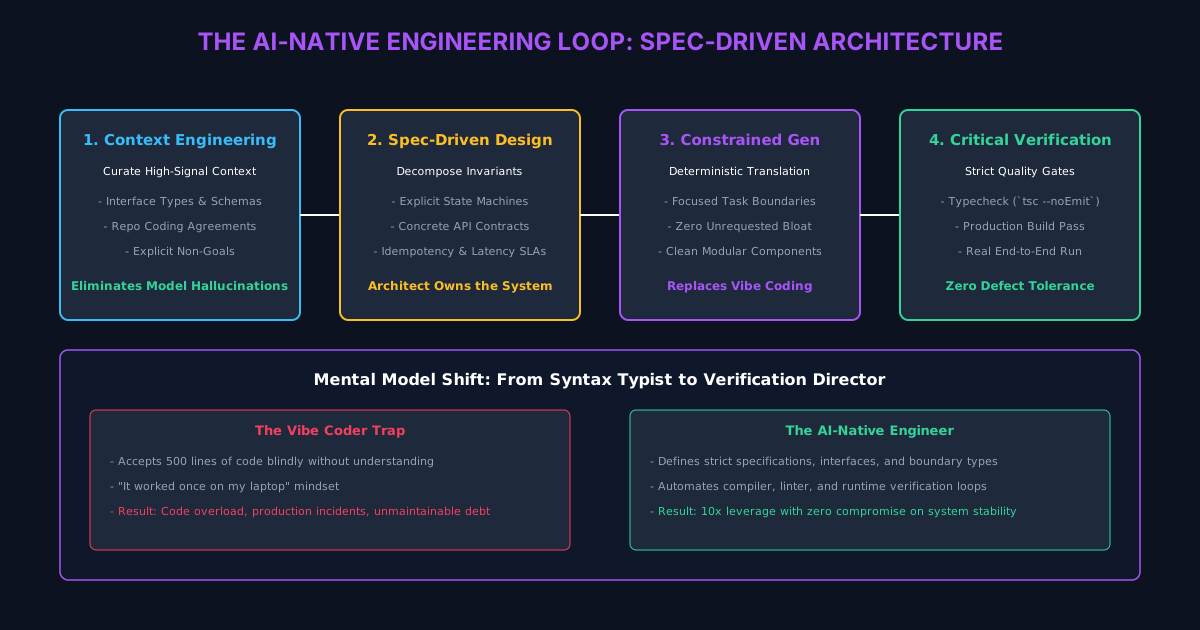
The AI-Native Engineer: Architectural Patterns to Avoid Code Overload
How high-leverage engineers shift from writing syntax to context engineering, specification-driven design, and rigorous automated verification.
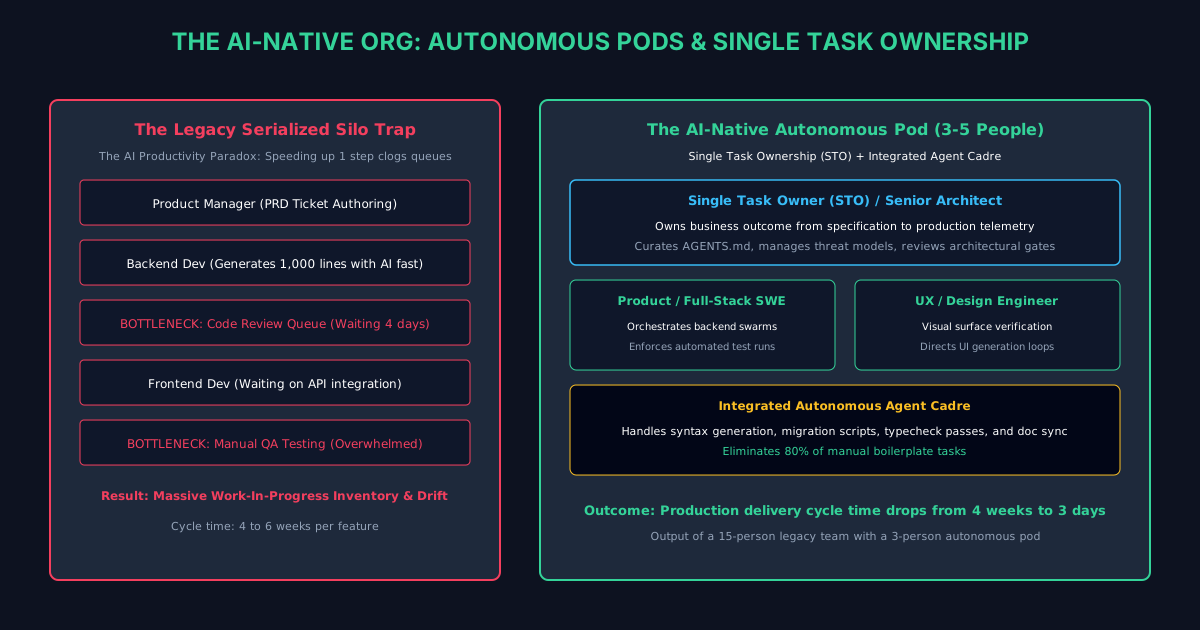
The AI-Native Engineering Org: Pods, Agent Champions, and Leadership
How engineering leaders overcome the productivity paradox: restructure teams into 3-to-5 person autonomous pods with Single Task Ownership (STO).
/* Comments */
Comments are offline right now — we reconnect automatically, nothing is lost.