
OpenSSH 10.6p2 Fixes a Rare Authentication Path; Check the Build, Not Just the Version
OpenSSH 10.6p2 carries a critical workaround for some Linux builds using musl without PAM. Here is how operators should scope and verify exposure.
On this page
A version string alone may not tell you whether an SSH daemon is in the affected configuration. OpenSSH 10.6p2 addresses a password-authentication bypass that the project scopes to some Linux builds without PAM support. The safe response is to inventory how the daemon was built and configured, then apply the package or mitigation supported by your operating-system vendor. [1]
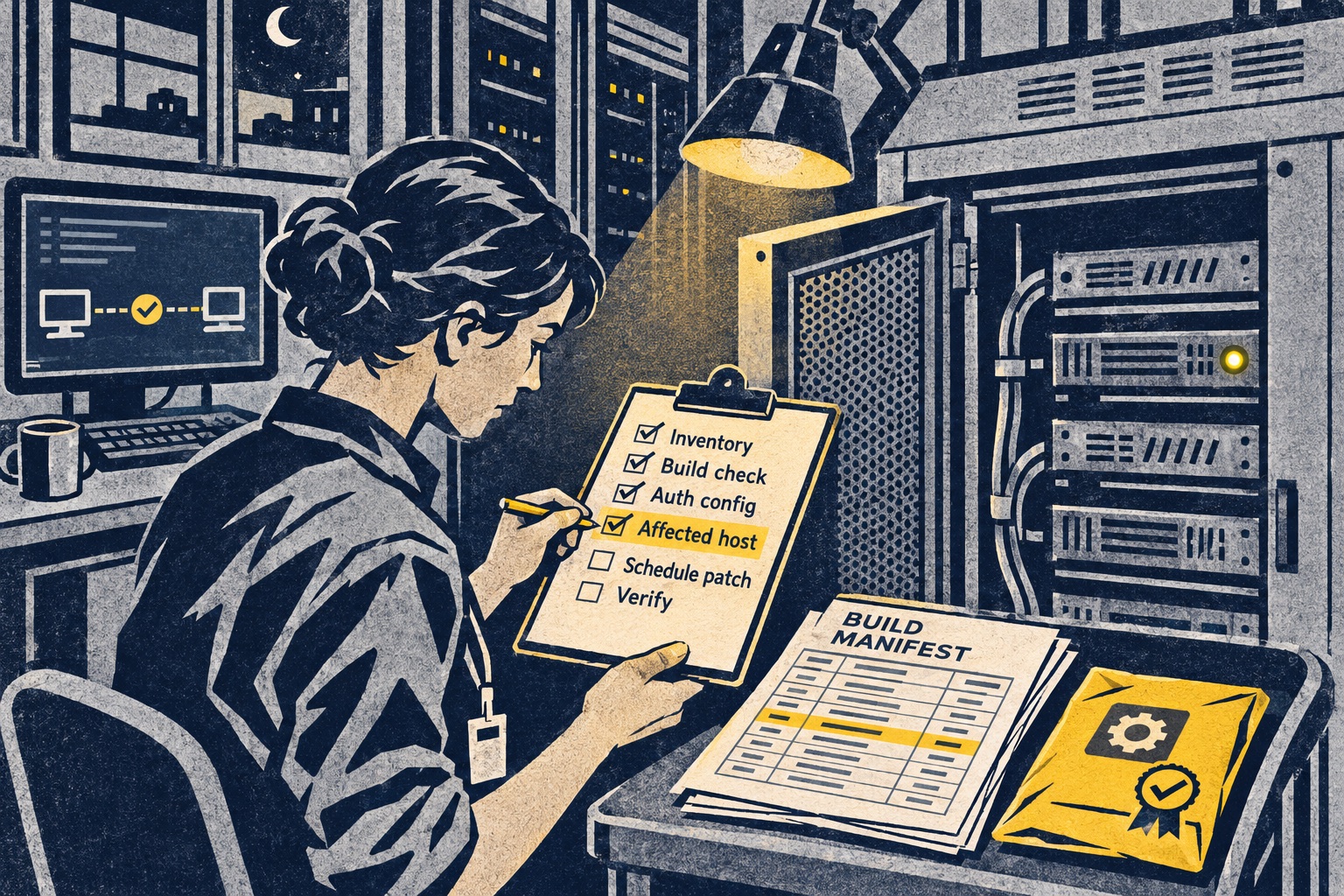
The affected path is narrower than “Linux SSH”
The official OpenSSH notes for 10.6p2 say the workaround concerns Linux systems that use musl libc and have PAM disabled. The security entry describes a password-authentication bypass through sshd and says the root cause is outside sshd, though sshd can avoid it. The project credits security researcher Özgün Kültekin of Wakefield with the report. [1]
That statement is intentionally conditional. A distribution’s package may differ from upstream in compile options, patches and defaults; a host may also have password authentication disabled even when the daemon includes it. Operators should not infer exposure from a machine merely running Linux or merely reporting an OpenSSH version. The relevant question is whether the actual server binary and configuration satisfy the conditions in the vendor advisory.
The reporter’s technical write-up discusses the behavior and names affected conditions, but the upstream notes remain the authoritative patch reference. The release does not assign a CVE in the notes we reviewed. Treat distribution notices and package metadata as the source for the remediation path on your system, not an unverified copy-paste configuration from a forum. [1] [3] [4]
A practical exposure check
Start with an inventory of externally reachable SSH services and their package origin. Record the distribution, package revision, whether the package links against musl or glibc, how PAM support was compiled, and the effective authentication settings. Use the distribution’s package tools and service configuration rather than assumptions based on the base image name.
Compare those facts against the project’s release note and your vendor’s security bulletin. If the package is affected, use the vendor’s fixed build or documented mitigation and plan a controlled rollout. Test remote access through an out-of-band path or a second administrative session before restarting the daemon; a patch window that closes your only management route can turn a security update into an availability incident. Verify the active daemon after the package update and confirm the effective authentication policy, not just the installed package label. [1]
If you cannot update immediately, do not invent a workaround from a partial technical description. Follow your distribution’s advisory or contact its security team. If policy allows, reduce the exposed authentication surface while you prepare the supported patch, and document the reason and expiry for any temporary control.
More AI reports do not mean more confirmed vulnerabilities
The 10.6p2 notes also say OpenSSH maintainers have received many reports produced or assisted by AI. They welcome such findings, but say many do not have security impact under a realistic threat model. Their preferred submissions include human triage, analysis, test cases and, especially, proposed fixes. They also note that some issues first identified with AI were independently found by other researchers, prompting more frequent releases to move fixes to users sooner. [1]
That is a careful statement about maintainer workload and disclosure, not a measurement of AI’s vulnerability-discovery accuracy. The released auth issue is credited to a named researcher; the notes do not say an AI found it. Keeping those facts separate matters: a burst of generated reports can increase review load, while a reproducible security finding still depends on affected configurations, impact analysis and a safe fix.
For maintainers and security teams, the useful artifact is not a confident model-written narrative. It is a bounded report: versions and build conditions, the threat model, a minimal test that demonstrates the behavior without targeting third parties, expected versus observed outcome, and a candidate fix if the researcher can produce one. OpenSSH’s own reporting guidance directs security reports to its security contact. [2]
Patch the build that is actually running
The release is a reminder that dependencies, compile-time options and authentication configuration form one security boundary. A fleet that looks uniform in inventory may contain Alpine or other musl-based containers, custom minimal builds, older package branches and appliances whose sshd settings are managed elsewhere. The only dependable answer comes from joining package provenance with runtime configuration.
The immediate takeaway is straightforward: check the vendor notice for your package, scope hosts against the affected conditions, and install the supported fixed version or mitigation. Then verify service health and authentication behavior through the normal administrative path. A broad “upgrade Linux SSH” alert is less useful than a precise inventory of which daemons match the release note—and proof that those daemons received the fix. [1]
Related Crashtech coverage examines the patch gap after software vulnerabilities are fixed and the coordinated response to a PHP vulnerability.
Frequently asked questions
What does OpenSSH 10.6p2 fix?
The official release notes say it avoids a password-authentication bypass affecting some Linux systems when OpenSSH is built and run with PAM support disabled. The project calls the release a critical security workaround.
Are all Linux servers affected?
No. The release notes scope the issue to some Linux systems with PAM disabled. Operators should verify their actual OpenSSH build, authentication configuration and distribution advisory rather than assume every Linux host is affected.
What should an operator do?
Check the distribution or vendor advisory, identify whether the installed sshd build matches the affected conditions, and apply the vendor-supported fixed package or mitigation through a tested maintenance process.
Sources & further reading
Keep reading

Huntress’ 180-Day Identity Lookback Finds What Predates Onboarding
Huntress says its Managed ITDR Lookback reviews up to 180 days of Microsoft 365 sign-ins for new tenants; historical visibility still depends on available logs.

RSA’s Compliance Advisor Promises a Daily View. The Evidence Still Needs Owners
RSA maps identity controls to five regulations and tracks posture, but automated mappings still require validation and accountable control owners.

When Attackers Use Approved Software, a Green Signer Is Not a Clean Bill of Health
Elastic’s November threat report describes trusted tools used in intrusions; defenders need behavior and identity context, not signer-only allowlists.
/* Comments */
Comments are offline right now — we reconnect automatically, nothing is lost.