
GitHub Agentic Workflows Turn Markdown Tasks Into Reviewable Actions Jobs
GitHub’s agentic workflows bring Markdown instructions into Actions with guardrails for agent-proposed changes.
On this page
A repository automation usually follows explicit steps: on an event, run this script, then publish that artifact. GitHub Agentic Workflows add a different layer: a Markdown instruction tells a coding agent what outcome to pursue, and GitHub Actions supplies the runner and policy boundary. That can remove brittle glue for tasks such as investigating a failed build. The important design choice is which actions remain proposals and which can affect the repository.

From Markdown instructions to an Actions job
GitHub’s release describes workflows authored in Markdown with frontmatter for triggers, permissions and allowed outputs. A compiler turns that source into a regular Actions YAML workflow. A run can use GitHub Copilot or another supported coding agent, including Claude, Codex or Gemini, subject to the provider’s authentication and billing setup. GitHub lists tasks such as issue triage, CI failure analysis, status reports, documentation maintenance and test coverage. [1] [2]
This is not simply a chatbot that replies to a pull request. The agent can inspect repository context, reason over a task and produce a proposed action. But the workflow still has a machine-readable configuration and runs within Actions policies, so teams can decide when it runs, which repository information it sees and what output types it may create.
The product’s useful promise is replacing hand-built procedural logic for work that is naturally expressed as “investigate and summarize.” A shell script is excellent when the steps and decision boundaries are known. It is awkward when a task requires interpreting logs or comparing an issue with several files. An agent can handle that interpretation, while a deterministic outer workflow controls the event and the permitted write path.
The safety design is a boundary, not a guarantee
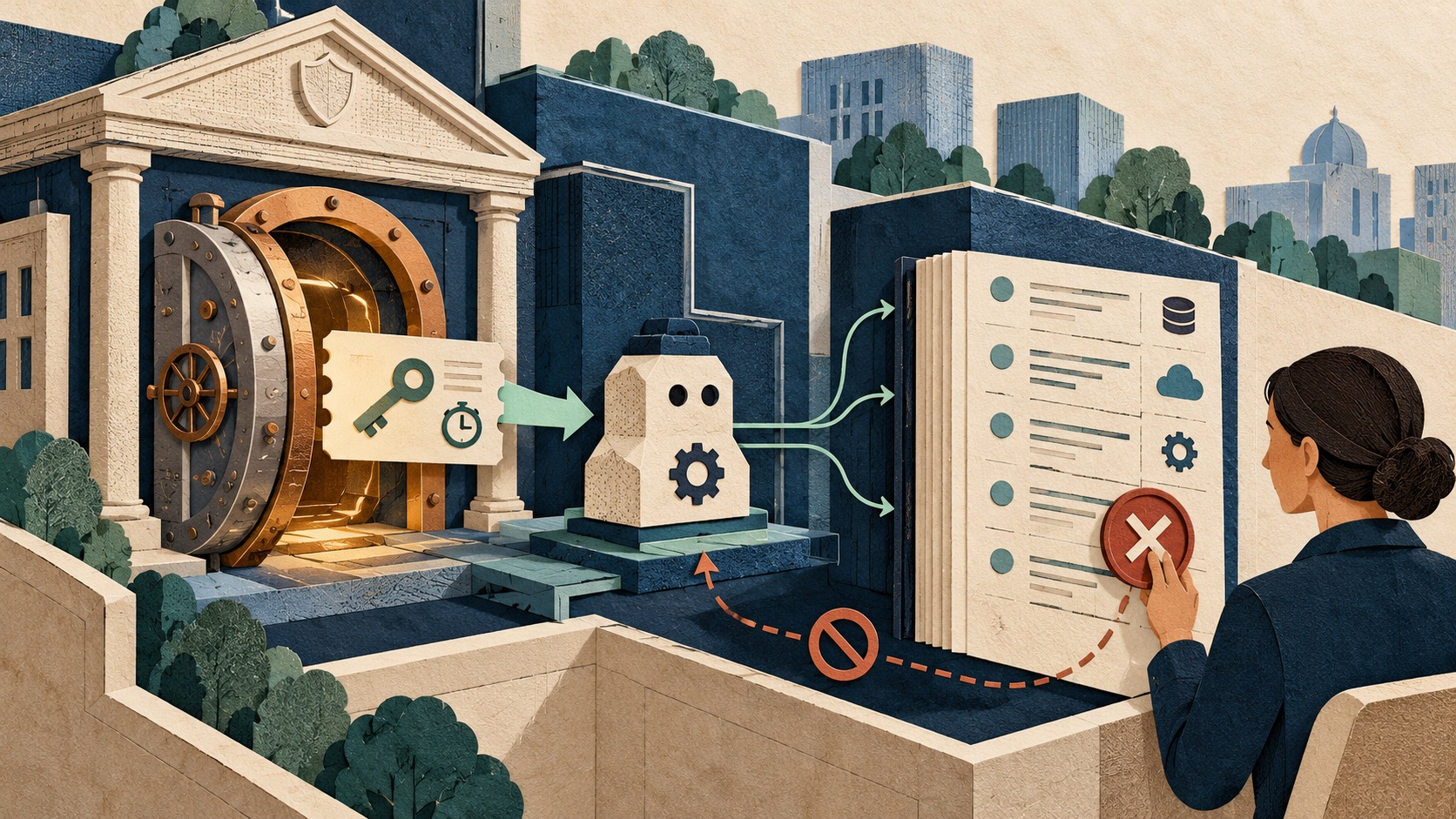
GitHub says repository permissions are read-only by default. Write operations go through named safe outputs—such as creating an issue, comment or pull request—and are validated before application. Credentials are kept in downstream jobs rather than exposed directly to the agent runtime, and proposed outputs are scanned by threat detection. Agents run in isolated, firewalled environments. [2] [3]
Those are meaningful containment choices. They reduce the chance that an agent can simply take a repository token and perform any API action it wants. They do not prove that the agent’s proposed output is correct, that a configured exception is safe, or that hostile content cannot influence its reasoning. Issue text, comments, test fixtures and documentation are untrusted inputs. A prompt injection in repository content can attempt to steer an agent even when direct access is read-only.
The security model therefore depends on the whole workflow. A CI failure analyzer may need logs and source files but not write access. A documentation updater may propose a pull request, but branch protection should still require review. A workflow that can deploy, release or alter secrets has a much higher consequence and should not inherit authority merely because the agent’s output is scanned.
Choose tasks that end with inspectable proposals
Start with a task where success can be checked by a maintainer: summarize a failing test, label a clearly categorized issue, or propose an update to a small documentation section. Keep triggers narrow and avoid running privileged jobs on untrusted fork pull requests. Limit the files or tools available where possible, set an inference budget, and route any write through an output that creates a reviewable artifact rather than silently changing production state. GitHub exposes credit limits and run-level audit views, but its own docs describe estimates as best-effort, so teams should compare them with provider billing. [2]
For each automation, define expected behavior for ambiguous requests, missing logs, timeouts and contradictory evidence. Test with examples containing malicious instructions in comments or test output. Confirm that the agent cannot turn those strings into a new permission or a different trigger. Log the initiating event, model/provider, tools used, proposed output and human disposition so an incident can be reconstructed.
NIST’s Secure Software Development Framework focuses on integrating secure practices into the software-development lifecycle. Applied here, the key point is that an AI workflow is part of the build and maintenance system: it needs threat modeling, review, testing and ownership just like other automation. An agent label does not remove the need to validate code before merging. [4]
What general availability changes
GitHub’s October 28 announcement moves the project to GA on GitHub.com for Free, Team and Enterprise, with some capabilities depending on plan and configuration. Its reported internal productivity and incident-reduction figures are vendor-reported outcomes from one team, not independent expectations for every repository. The more useful signal is the product shape: natural-language task definitions are being packaged with ordinary Actions triggers, runner controls and explicit output mechanisms. [1]
For teams, the first question is not “Which jobs can we hand to an agent?” It is “Which repetitive judgment work produces an artifact we can safely review?” Begin there, keep credentials outside the agent runtime, and preserve the usual branch protections. The workflow should save a person time without making its authority harder to see.
Frequently asked questions
What are GitHub Agentic Workflows?
They are repository automations written as Markdown instructions and compiled into GitHub Actions workflows that run coding agents. GitHub describes use cases such as issue triage, CI investigation, documentation updates and test writing, with configured triggers, permissions and safe outputs.
Can a GitHub agentic workflow push changes directly to a repository?
GitHub describes read-only repository access by default and limits writes to declared safe outputs, such as issues, comments or pull requests, which are validated before application. Teams should verify the current configuration and review proposed changes before merging.
Sources & further reading
Keep reading

Google’s ‘Sleep’ Framework Gives Models a Training Phase After Deployment
Google Research proposes periodic weight updates to retain new knowledge. The result is a research framework, not a model that learns safely from every chat.
GitHub Copilot’s New App Identity Moves Agent Billing to the Organization
GitHub’s Copilot SDK preview separates service identity from a person’s login, shifting agent access, policy and usage accountability to the organization.

Google’s Flu Forecast Win Shows Why Public-Health AI Needs Calibration
CDC ranked a Google model first on one flu forecast score. Here is what that result says about accuracy, uncertainty and public-health planning.
/* Comments */
Comments are offline right now — we reconnect automatically, nothing is lost.