
Snowflake’s AI Governance Preview Puts Agent Activity on an Audit Page
Snowflake adds account-level AI usage metrics, agent activity and data-exposure auditing, plus a change log. Here is what the preview can—and cannot—prove.
On this page
A governance screen is useful only if it helps an operator answer the uncomfortable question after an agent run: what did it touch, and what changed? Snowflake’s November 19 announcement and AI Governance documentation describe an account-wide page in Snowsight for Cortex Code and Cortex Agents usage metrics, agent activity and data-exposure auditing, and a change log for agent changes. It is a promising observability surface; it is not a certification that an agent is safe.
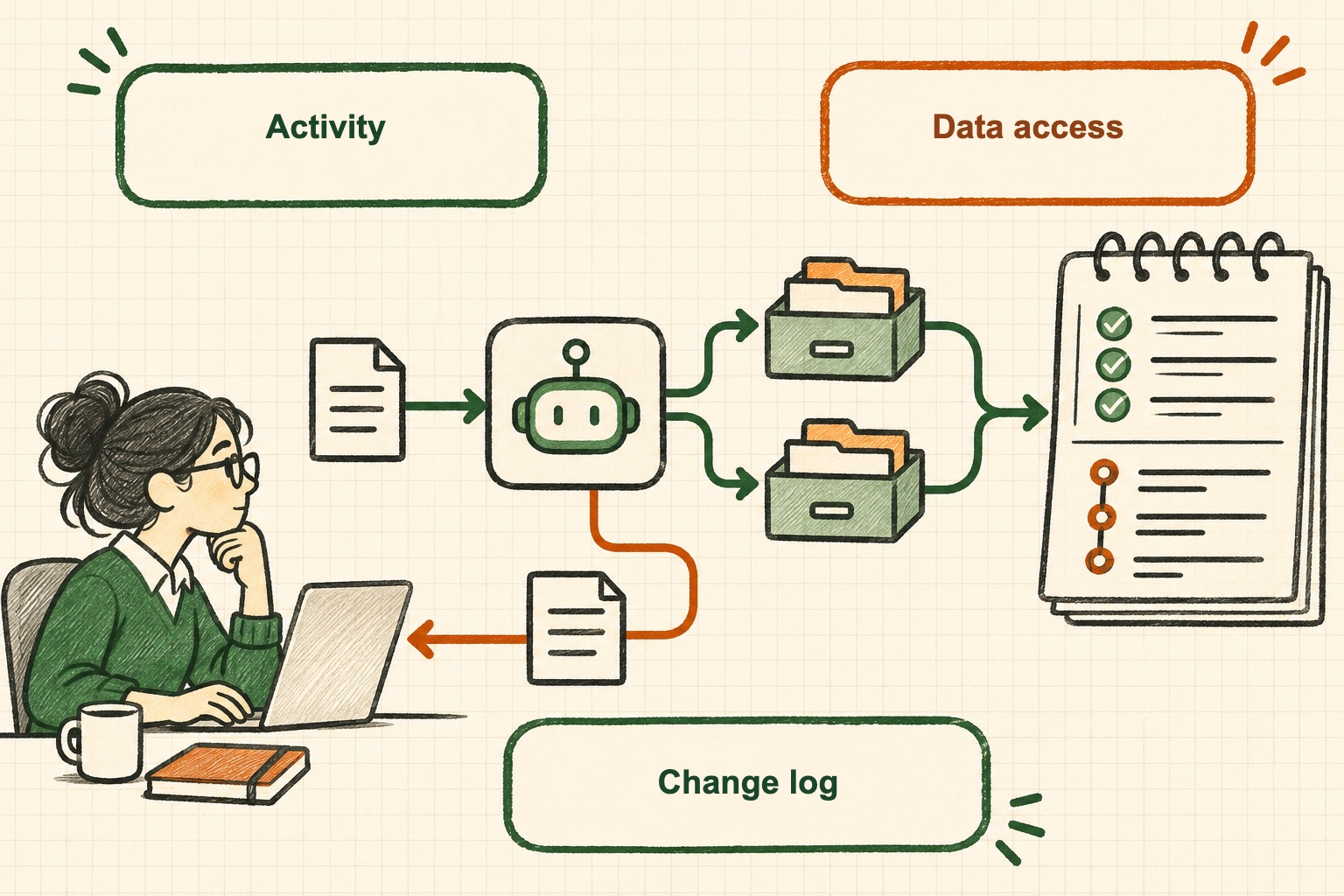
That distinction matters as teams move from a single prompt to tools that query data and act across workflows. The incident investigator needs a timeline, the data owner needs to know what was exposed, and the platform team needs to connect a changed configuration to a changed outcome. Snowflake’s announcement groups these needs into one place rather than asking an administrator to reconstruct them from separate pages.
The audit question is more than “which model?”
A useful agent record has to connect identity, intent, tool selection, data access, returned result and any resulting action. The documentation adds important boundaries: the preview covers Cortex Code and Cortex Agents, its precomputed views refresh at least daily, and data classification must already exist for sensitive-data findings to be useful. It is not a real-time ledger for every AI workload or a forensic record for every downstream system. An account page can improve visibility without becoming the authoritative record for an application’s entire lifecycle.
Operators should test the surface against a real review scenario before relying on it. Can an investigator find a specific run? Can they distinguish a user request from a scheduled run? Can they see which agent version and permissions applied? Can they connect a query to a sensitive table and the result delivered to a user? The announcement does not answer all of these questions, so they belong in an acceptance checklist, not in a product claim.
A change log helps explain drift
Agents are configuration as well as code. Tool lists, instructions and data permissions can change independently, and the same natural-language request may therefore produce a different path next week. A change log can narrow the search for “what changed?” by putting edits beside activity. It cannot by itself show that the new behavior was intended, tested or approved. Teams still need ownership, review and a promotion path from development to production.
A practical rollout is to establish a baseline with one low-risk agent. Record its owner, allowed tools, data boundaries and expected actions. Then make a deliberate configuration change and verify that the governance page presents enough context for a reviewer to notice it. Finally, simulate a data-exposure review and document anything the interface does not show. This turns a general dashboard into an operational control test.
What to do before calling it governance
Treat the preview as a discovery layer. Keep authorization checks at the tool and data boundary, retain the records required by your organization, and decide which events need independent application-side logging. Pair the new activity view with a permission review and a test that checks whether an agent can reach data outside its intended scope. Our earlier explainer on prompt injection as a permission-boundary problem covers why a model’s refusal is not an access-control mechanism.
The useful promise here is narrower and more credible: Snowflake is making certain AI usage and agent changes easier to inspect from Snowsight. Whether that becomes a dependable audit trail depends on details administrators should verify during preview—coverage, filters, export, retention, and correlation with the systems where an agent actually performs work.
Conceptual AI-generated illustration; it is an explanatory sketch, not a Snowflake screenshot.
Frequently asked questions
What does Snowflake AI Governance show?
Snowflake describes the preview as an account-wide Snowsight page with Cortex Code and Cortex Agents usage metrics, agent activity and data-exposure auditing, and a change log for agent changes.
Does an AI governance dashboard prove an agent is safe?
No. A dashboard can make activity easier to inspect, but safety still depends on complete telemetry, correct identity and access controls, useful review processes, and tests of the actual agent workflow.
Sources & further reading
Keep reading
GitHub Copilot Evals Turns Agent Changes Into Repeatable Checks
GitHub's Copilot Evals preview replays realistic tasks against skills, agents and MCP tools. Treat it as a regression aid, not a universal quality score.
Dependabot Dismissal Requests Now Stay Open for a Year
GitHub extended delegated Dependabot dismissal requests from one week to one year. The extra time helps review coverage but does not approve or fix alerts.
Google Agent Registry Adds MCP Policy Hints, Not an Access Boundary
Google Cloud's Agent Registry adds preview IAP and human-review metadata for MCP tools. Learn what these hints clarify and what still must enforce access.
/* Comments */
Comments are offline right now — we reconnect automatically, nothing is lost.